Generate Testcase With Ai
OnionAI TestGen enables automatic generation of test cases using AI. Users can provide inputs such as descriptions, Jira issue links, or uploaded requirement files to generate comprehensive test cases quickly and efficiently.
This section explains the available input fields, optional components, and the overall AI test generation workflow.
1. AI Generator Window
You can access OnionAI TestGen by clicking the OnionAI TestGen button in the Test Cases module.
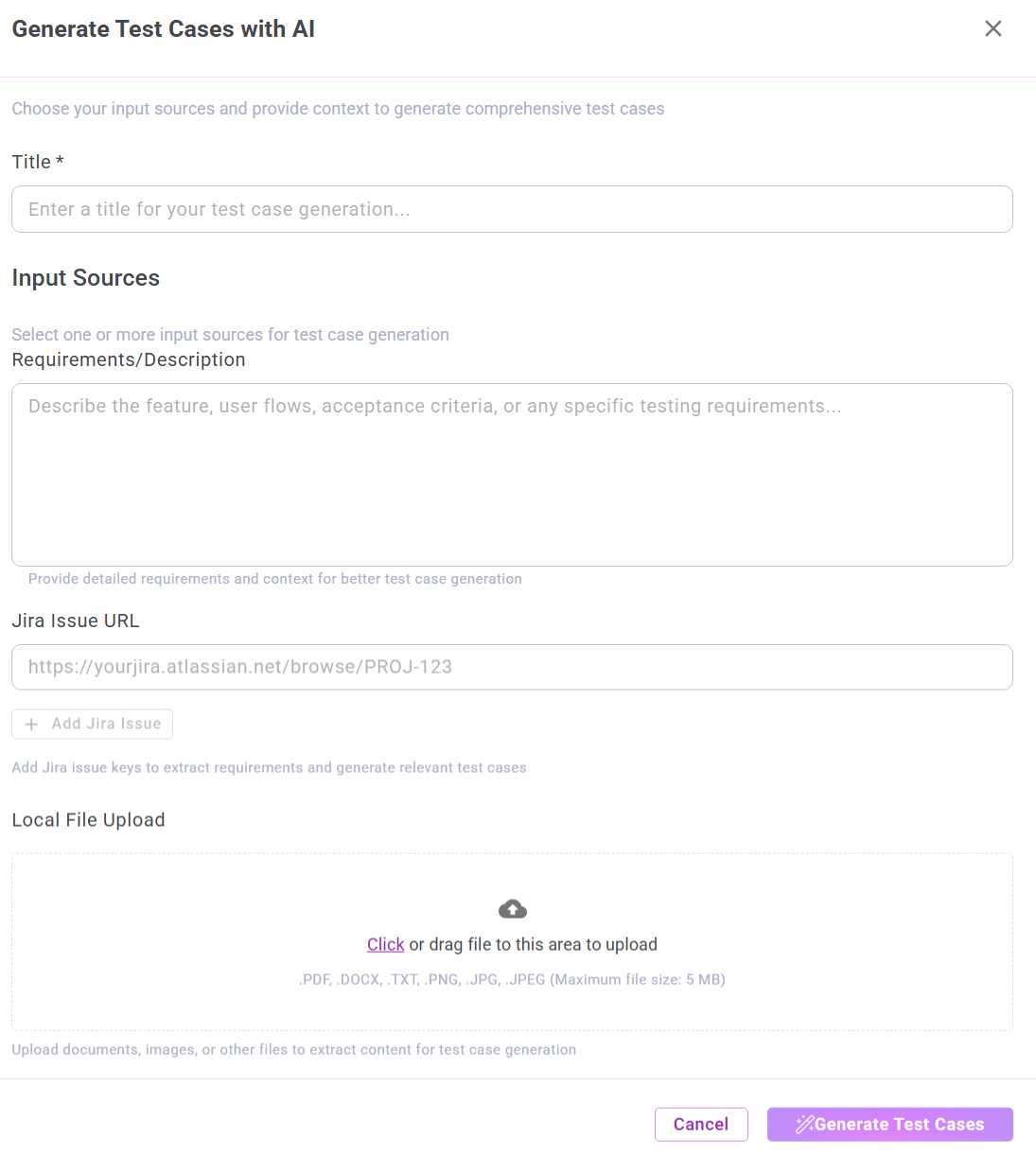
2. Input Fields
The AI generator accepts multiple input sources.
Some fields are required, while others are optional, as indicated in the workflow.
Mandatory Field
Title *
A required field used to define the title for the AI-generated test case set.
Examples:
- User Registration Module
- Payment Gateway – Negative Scenarios
This title is used as a grouping reference for all generated test cases.
3. Optional Input Sources
The following fields are optional.
AI test case generation can proceed when any one of these inputs is provided, or when multiple inputs are combined for improved accuracy.
Requirements / Description
Provide detailed functional information, such as:
- Feature overview
- User workflows
- Acceptance criteria